SBCおよびPMIC製品OTPプログラミング・ボードのスタート・ガイド
最終更新日時:
Dec 8, 2025サポート
SBCおよびPMIC製品OTPプログラミング・ボード
サインイン 進行状況を保存するには アカウントをお持ちでない方 アカウントを作成する。
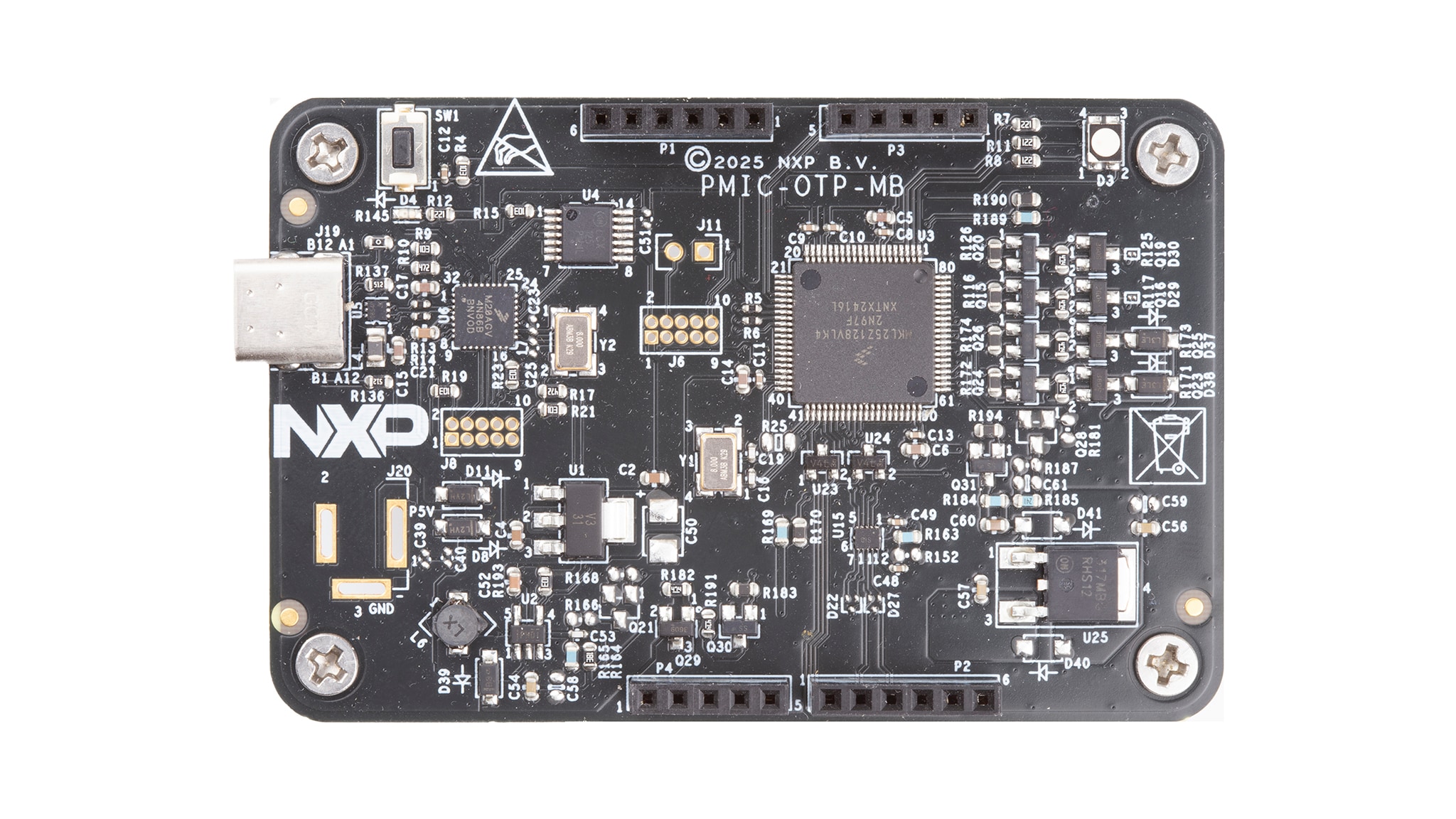
お客様の SBCおよびPMIC製品OTPプログラミング・ボード
1. パッケージの内容
PMIC-OTPは、NXP製品のプログラミングに使用するプログラミング・キットです。
このドキュメントは、ユーザーがPMIC-OTP評価ボードをすぐにセットアップ、構成、および操作できるようにすることを目的としています。
1.1 キットの内容と同梱物一覧
キットには以下のものが含まれています。
- マザーボード:事前プログラム済みのPMIC-OTP-MB(静電気防止バッグに梱包)、USB STD A - USB Type Cケーブル付属
- ドーター・ボード:ソケット・ボード(静電気防止バッグに梱包)
1.2 追加ハードウェア
このボードの作業をする際は、キットの内容物のほかに以下のハードウェアが必要であり、またこれを使用すると役立ちます。
- USB 2.0以上
2. ハードウェアについて
2.1 ボードの特長
OTPプログラミング・マザーボード
- 動作入力電圧範囲5.0 V(USBコネクタから給電)
- SBC製品向けにVDDOTPおよびVinに給電する電源システムを統合
- KL25 MCUを介したUSBからI²CまたはSPIへの通信
- インライン・プログラミング・インターフェース・コネクタ
OTPプログラミング拡張ボード
- さまざまなソケット拡張ボードを購入可能
- デバイスの電源オン状態とプログラム状態を示すLED
2.2 ボードの説明
購入可能なドーターボードを表1に示します。
| PMICデバイス | PMIC-OTP-DB |
|---|---|
| PF81/PF82 | PF8200-OTP-DB |
| VR5510 | VR5510-OTP-DB |
| FS2400 | FS24-OTP-DB |
| FS2300/FS2320 | FS23-OTP-DB |
| FS26 | FS26-OTP-DB |
| FS5600 | FS5600-OTP-DB |
| FS84 | FS85-OTP-DB |
| FS85 | FS85-OTP-DB |
| PF5020 | PF5020-OTP-DB |
| PF5024 | PF5020-OTP-DB |
| PF5023 | PF5020-OTP-DB |
図1に、PMIC-OTP-MBの概要を示します。
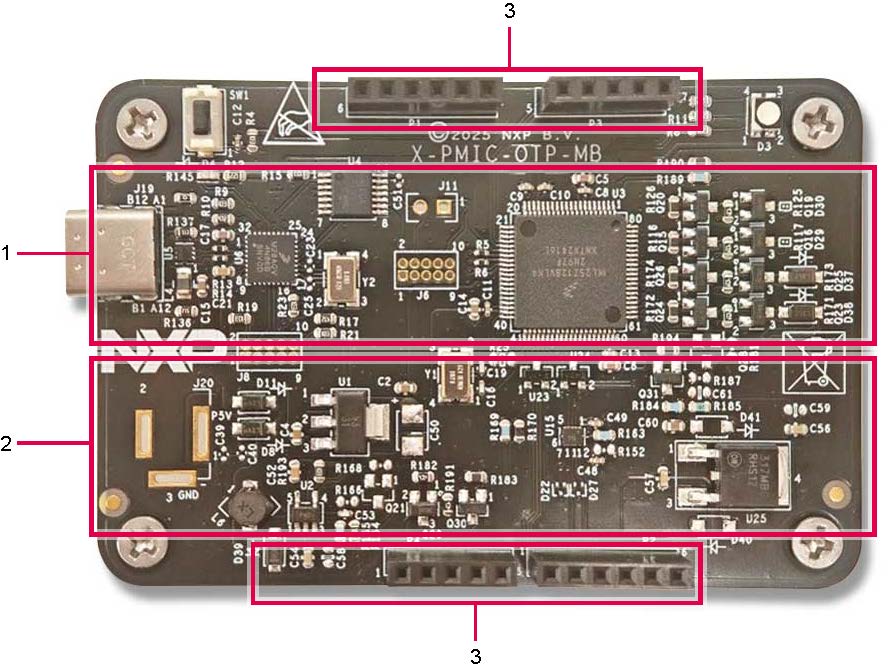
- KL25 MCUとOpenSDA回路、Type-Cポート
- オンボード電源システム
- ドーターボード用コネクタ
3. ハードウェアの構成
3.1 ハードウェアの構成
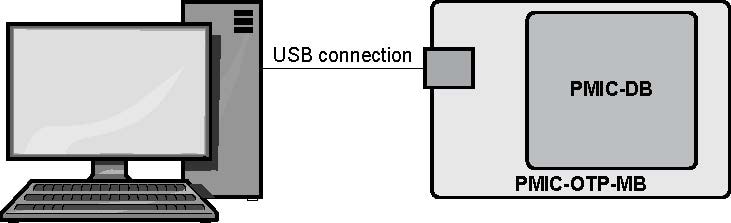
図2は、開発ボード、電源、およびWindows PCワークステーションを含む一般的なハードウェア構成を示しています。
図2に示すように、手順に従ってハードウェアとワークステーションを構成します。
- PMIC-OTP-MBの上にPMIC-DBドーターボードを接続します。コネクタがしっかりと接続されていることを確認してください
- PCに接続したUSBケーブルを、マザーボードのUSBポートに接続します。PC側ではUSB 2.0以上のポートを使用してください
4. ソフトウェアのインストール
4.1 GUIのダウンロード
手順に従ってGUIをダウンロードします。
- NXPのWebサイトにサインインし、 SBCおよびPMIC製品向けのOTPプログラミング・キットのページでzipファイルをダウンロードします。選択した場所にzipファイルがダウンロードされます。
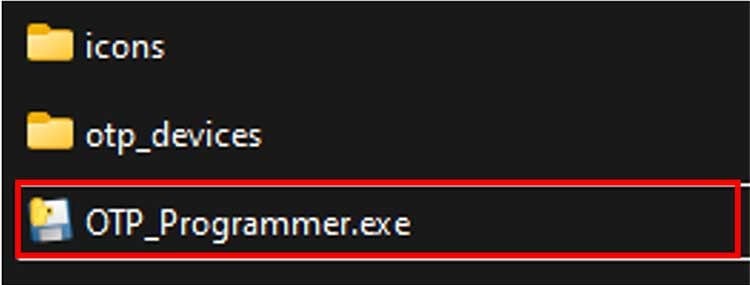
- zipファイルを解凍して、
OTP_Programmer.exeを探します -
OTP_Programmer.exeファイルをダブルクリックすると、GUIが起動します - プログラムするデバイスを選択して、接続します
- [Load(ロード)]ボタンをクリックすると、IHEXファイルがロードされます " assetid="1765220818847714682435" stepid="4_6">完了としてマーク:4.1 GUIのダウンロード
設計・リソース
ボード情報
- UM12379、PMIC-OTPプログラミング・ユーザー・マニュアル
- FS26-OTP-DB回路図
- FS24-OTP-DB回路図
- FS23-OTP-DB回路図
- PMIC OTP MB回路図
- PF5020-OTP-DB回路図
- VR5510-OTP-DB回路図
- PF8200-OTP-DB回路図
- FS85-OTP-DB回路図
- FS56-OTP-DB回路図
- PF8200-OTP-DBデザイン・ファイル
- PF5020-OTP-DBデザイン・ファイル
- FS26-OTP-DBデザイン・ファイル
- FS85-OTP-DBデザイン・ファイル
- FS23-OTP-DBデザイン・ファイル
- FS24-OTP-DBデザイン・ファイル
- PMIC OTP MBデザイン・ファイル
- FS56-OTP-DBデザイン・ファイル
- VR5510-OTP-DBデザイン・ファイル
ソフトウェア
その他の参考情報
PMIC-OTP-MBに加えて、次のページも参照してください。
サポートされるデバイス
パワー・マネジメント
- 12 V、24 V、および48 V SBCソリューション
- VR5510:S32Gプロセッサ用マルチチャネル (9) PMIC:高電力 x 8、低消費電力 x 1、ASIL Dセーフティ・レベルに適合
- FS5600:電圧モニタとウォッチドッグ・タイマを備えた車載用デュアル降圧レギュレータおよびコントローラ
- FS26:低消費電力セーフティ・システムベーシス・チップ、ASIL Dシステム対応
- FS24:車載アプリケーション専用セーフティ・ミニCAN FD SBC、ASIL Bに適合
- FS85:S32マイクロコントローラ用セーフティ・システムベーシス・チップ、ASIL Dに適合
- FS23:セーフティ・システムベーシス・チップ (SBC) ファミリ、パワーマネージメント、CAN、LINの機能を搭載
- V PMICソリューション
- PF5024:車載アプリケーション向けマルチチャネル (4) PMIC:高電力 x 4、ASIL Bセーフティ・レベルに適合
- PF5023:車載アプリケーション向けマルチチャネル (3) PMIC:高電力 x 3、ASIL Bセーフティ・レベルに適合
- PF5020:車載アプリケーション向けマルチチャネル (5) PMIC:高電力 x 4および低消費電力 x 1、ASIL Bセーフティ・レベルに適合
- PF81-PF82:高性能プロセッシング・アプリケーション向け12チャネル・パワーマネジメント集積回路 (PMIC)