Getting Started with the S12ZVM 12 V Electrical Fuel Pump (EFP) reference design
このドキュメントの内容
-
Out of the Box
-
Plug it In
-
Build, Run
サインイン 進行状況を保存するには アカウントをお持ちでない方 アカウントを作成する。
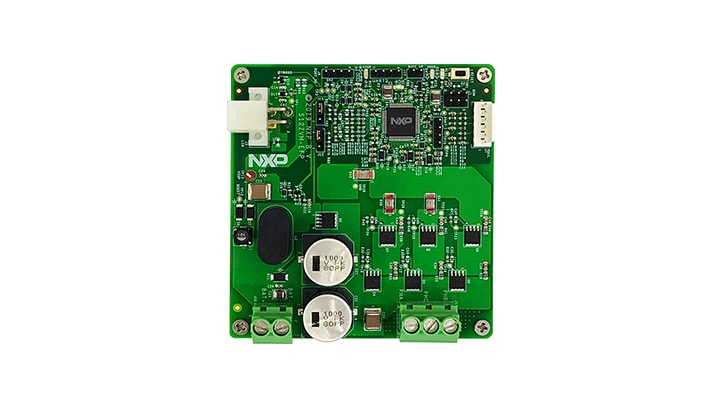
お客様の S12ZVM 12 V Electrical Fuel Pump (EFP) Reference Design
1. Out of the Box
Let's take your S12ZVM-EFP reference design board engineered for automotive 3-phase permanent magnet synchronous motor (PMSM)/brushless DC (BLDC) motor control system for a test drive!
1.1 Download the Quick Start Package for the S12ZVM-EFP reference design board
The Quick Start Package includes
1.2 Get your Integrated Development Environment (IDE)
S12ZVM-EFP performs better when using CodeWarrior® for MCUs (Eclipse IDE)
1.3 Get the Run-time Debugging Tool
S12ZVM-EFP performs better when using the 'FreeMASTER tool' for run-time debugging.
2. Plug it In
2.1 Connect the S12ZVM-EFP Reference Design Board
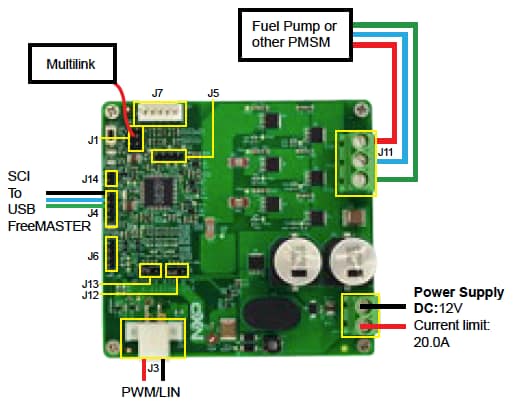
Connect power supply cables and fuel pump or other 3 phase PMSM cables to the board.
2.2 Plug the PE Multilink Debugger
Attach the PE Multilink debugger cable to BDM port (J1) onboard and another end to PC.
2.3 Plug the SCI to USB Wire
Attach the SCI to USB wire (FreeMASTER) to UART port (J4) PIN2, PIN3 and PIN4, another end to the PC USB port.
2.4 Plug the DC Power Supply
Connect power supply wires to the DC power supply: set the voltage at 12 V, current limit to 20 A.
Check and make sure all connections are correct:
3. Build, Run
3.1 Load Example Project Using your IDE
Open CodeWarrior and load example projects.
3.2 Configure Motor Parameters in the Debug Tool
Open FreeMASTER run-time debug and visualization tool. Use the .exe within the S12ZVM-EFP reference design – Quick Start Package to configure the connected motor parameters and other parameters in MCAT for generating the PMSM_appconfig.h file.
3.3 Compile and Program the Project
Then connect the FreeMASTER with the S12ZVM-EFP reference design board. After that, you can run the motor by using FreeMASTER.
For more details, refer to the S12ZVM-EFP reference design – software UG.
このページ
- 1.1
Download the Quick Start Package for the S12ZVM-EFP reference design board
- 1.2
Get your Integrated Development Environment (IDE)
- 1.3
Get the Run-time Debugging Tool